Managing Xpressbees courier integration shouldn’t feel like a second job, but for most Indian eCommerce sellers, it ends up being exactly that. You’re manually booking shipments, copy-pasting order details into the courier portal, downloading labels one by one, and then still getting calls from customers asking where their package is. It adds up fast.
The good news? It doesn’t have to be this way. With the right setup, your Xpressbees shipping workflow can run almost entirely on autopilot. In this guide, we’ll walk you through everything you need to know about Xpressbees courier integration, what it is, why it matters for your business, and how Parcelmind.com makes the whole process straightforward, regardless of which platform you sell on.
Table of Contents
What is Xpressbees Courier Integration?
About Xpressbees
Why eCommerce Businesses in India Need This
Key Features of Xpressbees
How Parcelmind.com Helps with Xpressbees Integration
Benefits of Using Parcelmind.com
Best Practices for Xpressbees Courier Integration
FAQ
Conclusion
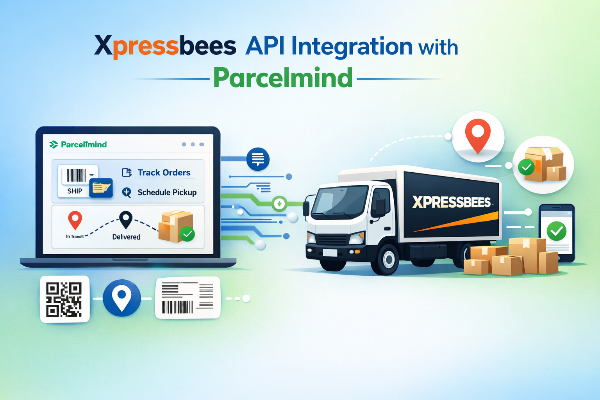
What is Xpressbees Courier Integration?
Xpressbees courier integration is the process of directly connecting your eCommerce store to Xpressbees’ shipping system, so orders, labels, and tracking updates all move automatically without you lifting a finger for each one.
Instead of logging into Xpressbees’ portal every time you need to book a pickup or print a label, integration creates a live bridge between your store and the courier. Once it’s active, new orders flow straight into the system, labels get generated automatically, and customers receive tracking notifications in real time.
For Shopify, WooCommerce, Wix, and other platform sellers, Xpressbees courier integration for online sellers in India is quickly shifting from a “nice to have” to an operational necessity. The sellers who scale past a few hundred orders a month are almost always the ones who’ve automated this part of their business first.
About Xpressbees
Xpressbees was founded in 2015 as a logistics spin-off from the FirstCry group, and it’s grown into one of India’s most recognised eCommerce courier networks. Today, they cover 2,000+ pin codes across the country, from major metro cities to Tier 2 and Tier 3 towns that many other couriers don’t reach as reliably.
What makes Xpressbees popular among online sellers? A few things stand out. Their delivery timelines are competitive, their pan-India coverage is genuinely broad, and their pricing is structured in a way that works for businesses at different scales — whether you’re shipping 50 parcels a month or 5,000.
They also handle reverse logistics, which is a big deal if you’re in fashion, electronics, or any category with a meaningful return rate. And with API access available for third-party integrations, platforms like Parcelmind.com can plug directly into their system and automate the entire shipping workflow on your behalf.
Why eCommerce Businesses in India Need This
Here’s something most sellers realise too late: manual shipping doesn’t scale. At all.
When you’re processing 10–20 orders a day, doing things manually is annoying but manageable. You log in, book the shipment, print the label, and move on. But the moment your volumes climb to 100, 200, or 500 orders a day, that same process becomes a bottleneck that slows down your entire operation.
According to a 2023 report by Redseer Strategy Consultants, India’s eCommerce sector is on track to reach $350 billion by 2030, with a large share of that growth coming from SMB sellers on platforms like Shopify and WooCommerce. More growth means more orders. More orders mean more pressure on fulfilment. And more pressure on fulfilment without automation means more errors, more delays, and more frustrated customers.
Some of the most common problems sellers run into with manual shipping include:
- Wrong addresses entered due to copy-paste mistakes
- Shipments were missed entirely because an order wasn’t booked in time
- Customers are receiving no tracking updates and flooding support inboxes
- Hours spent daily on tasks that could take minutes with automation
Xpressbees courier integration for online sellers in India directly solves all of these. You automate the repetitive work, so your team can focus on growing the business — not managing logistics one order at a time.
Key Features of Xpressbees
Before jumping into integration, it helps to understand what Xpressbees actually offers. Here’s a quick overview:
Pan-India Coverage
Xpressbees delivers to 2,000+ pin codes across India, including areas in Tier 2 and Tier 3 cities that are often underserved by other couriers. If your customers are spread across the country, you’re well covered.
Multiple Delivery Options
Depending on your shipment type, Xpressbees offers standard, express, and same-day delivery in select cities. That flexibility matters when your customers have different expectations at checkout.
Real-Time Shipment Tracking
Every Xpressbees shipment gets tracking at each stage — dispatched, in transit, out for delivery, delivered. Your customers can check their order status without having to contact you.
Reverse Logistics
Xpressbees handles return pickups smoothly, which is essential for categories like fashion and electronics, where reverse logistics volumes can be significant.
API Access for Integration
Xpressbees provides API access that allows third-party platforms to connect directly with their shipping system. This is what makes automated integrations through tools like Parcelmind.com possible.
How Parcelmind.com Helps with Xpressbees Integration
Setting up Xpressbees API integration from scratch requires technical expertise, development time, and ongoing maintenance. Most store owners and even most teams don’t have the bandwidth for that. Parcelmind.com takes all of that off your plate.
Here’s what it looks like in practice:
Easy Platform Connection Parcelmind.com integrates with Shopify, WooCommerce, Wix, and other major eCommerce platforms. Once you connect your store, orders start flowing into the Parcelmind dashboard automatically, no manual imports or exports needed.
Centralised Dashboard Instead of switching between your store backend and the Xpressbees portal, you manage everything from a single place. Every order, every shipment, every tracking update all in one view.
Automated Label Generation When an order is confirmed, Parcelmind.com automatically generates the Xpressbees shipping label. You print it, pack it, done. No more downloading labels one at a time.
Real-Time Tracking & Customer Notifications: Your customers receive automated tracking updates at every stage of the journey. Fewer “where’s my order?” messages in your support queue means your team can focus on things that actually need attention.
Manifest Creation Parcelmind.com generates daily Xpressbees manifests automatically, so your handover to the courier is clean, organised, and ready for audit if you ever need it.
Ready to get started? Install Parcelmind.com on Shopify →
Benefits of Using Parcelmind.com
Features are only useful if they translate into real outcomes. Here’s what you actually get:
- Faster fulfilment: Orders get dispatched more quickly because the manual steps are gone.
- Fewer errors: No more wrong addresses or missed bookings from manual data entry.
- Better customer experience: Automated tracking notifications keep customers informed without any effort from your end.
- Scalable operations: The workflow handles 50 orders a day the same way it handles 5,000. You don’t need to hire more people just to keep up with shipping.
- Centralised control: One dashboard for Xpressbees and your other couriers, so you always know what’s happening across your entire operation.
Best Practices for Xpressbees Courier Integration
Getting the integration live is the first step. Here’s how to make sure you get the most out of it:
1. Clean up your product weights and dimensions first. Xpressbees charges based on volumetric and actual weight. Before you integrate, go through your product catalogue and make sure the weights and dimensions stored in your store are accurate. Incorrect data leads to billing discrepancies that are frustrating to sort out later.
2. Start with a test batch of 5–10 orders. Don’t go live with your full order volume on day one. Run a small batch first, verify that labels are generating correctly, check that tracking is updating as expected, and then open the floodgates. It takes 30 minutes and saves a lot of headaches.
3. Personalise your customer notification templates. Parcelmind.com lets you customise the automated tracking messages your customers receive. Take 15–20 minutes to add your brand name and a human touch to these. It’s a small detail that makes your post-purchase experience feel polished rather than generic.
4. Monitor your NDR dashboard weekly. Even with a reliable courier, some deliveries fail — wrong address, customer unavailable, locked building. Check your Non-Delivery Report (NDR) dashboard at least once a week and action undelivered orders quickly. Fast follow-up significantly reduces your RTO (Return to Origin) rate, which directly affects your margins.
5. Generate your Xpressbees manifest daily. Download and save your daily manifest before the courier pickup. It keeps your records clean and gives you a clear paper trail if there’s ever a dispute about a missed pickup or a damaged parcel.
FAQ
What is Xpressbees courier integration? Xpressbees courier integration connects your eCommerce store directly to Xpressbees’ shipping system. It automates order booking, label generation, and tracking updates so you don’t have to do any of it manually.
How do I integrate Xpressbees with Shopify? The simplest way to integrate Xpressbees with Shopify is through Parcelmind.com. Install the app from the Shopify App Store, connect your Xpressbees account, and your orders will start syncing automatically, no coding required.
Why should I use Parcelmind.com instead of the Xpressbees API directly? Using the Xpressbees API directly requires a developer, technical setup, and ongoing maintenance. Parcelmind.com gives you the same functionality through a ready-to-use dashboard that works out of the box, and it supports multiple couriers in one place, not just Xpressbees.
Does Parcelmind.com support international shipping with Xpressbees? Xpressbees primarily operates within India. Parcelmind.com fully supports its domestic network. If you need international shipping, other couriers can be added to your Parcelmind dashboard alongside Xpressbees.
Is Parcelmind.com free to use? Parcelmind.com offers plans to suit different order volumes. You can check the latest pricing and free trial details on the Shopify App Store listing.
How long does Xpressbees take to deliver? Delivery timelines vary by route and service type. Within metros, Xpressbees typically delivers in 1-3 business days. For Tier 2 and Tier 3 cities, it’s generally 3-5 business days.
Conclusion
Xpressbees is one of India’s most capable courier options for eCommerce sellers — but without a proper integration, you’re spending time on manual tasks that simply don’t need human effort anymore. Every hour your team spends booking shipments manually is an hour that could go towards growing your store.
With Parcelmind.com, setting up your Xpressbees courier integration takes minutes, not days. You get automated label generation, real-time tracking, daily manifests, and a centralised dashboard — all without writing a single line of code.
Ready to simplify your Xpressbees shipping? Install Parcelmind.com on Shopify today →
👉Ready to go live?
Also read: